How to check Codex usage and limits
To check which allowance applies to your account, your credit balance and any reset time shown, open OpenAI Settings or the Codex usage dashboard. In an active Codex CLI session, enter /status. Limits vary by plan, and usage depends on the model, where the task runs, its complexity, context, reasoning, speed and tools. ReserveGauge is an independent macOS companion that stores usage history locally and estimates whether your recent pace may last until reset. It does not set or replace your OpenAI allowance.
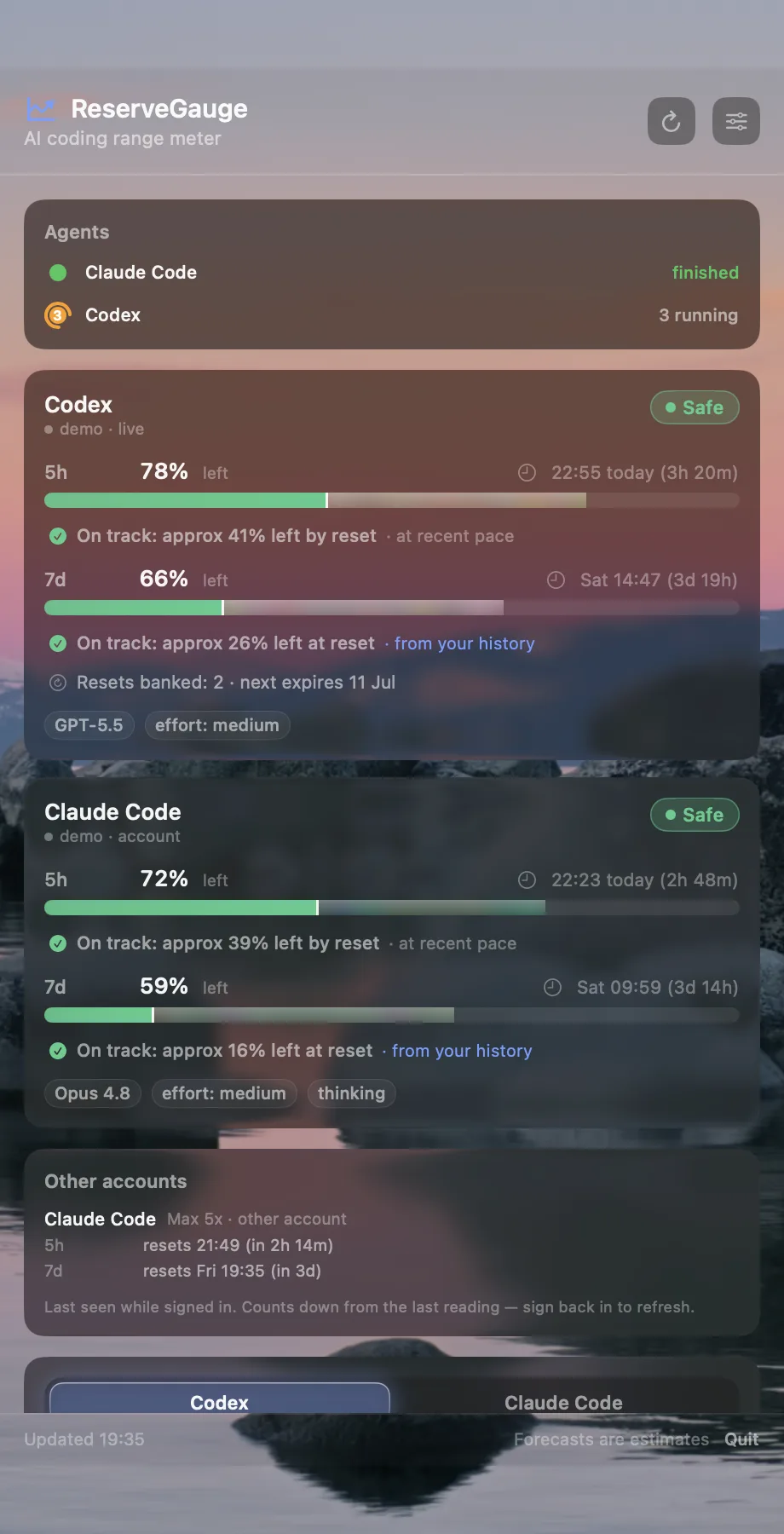
After you install ReserveGauge
- Open the DMG and move ReserveGauge to Applications.
- Open Codex once and sign in if it is not already connected.
- Open ReserveGauge and check the Codex row for a reading and its freshness label.
If your first Codex reading is missing
ReserveGauge reads Codex account limits through the local Codex app-server. Make sure the Codex CLI is installed and signed in, then check the Codex connection in ReserveGauge Settings. Compare the allowance with the Codex usage dashboard or enter /status in an active CLI session. “Live” means a recent provider reading; “as of … ago” gives the age of an older reading. If Settings reports a connection error, “stale” identifies the last successful reading retained from before the error. OpenAI reports your allowance; ReserveGauge estimates future use from history stored on your Mac. Use the dashboard or /status to confirm current usage.
How to check Codex usage
Open OpenAI Settings or the usage dashboard to check your allowance, credit balance and any reset time shown. In an active Codex CLI session, enter /status. For current plan limits, rates and credit options, see OpenAI's Codex plan guide.
How Codex usage limits work
There is no single allowance that applies to every Codex account. On plans with shared allowances or credits, Codex may share a pool with ChatGPT Work, ChatGPT for Excel and Workspace Agents when those features are available. Usage also depends on the model, where the task runs, its complexity, context, reasoning, speed and tools. Enterprise workspaces on token-based billing use USD workspace budgets and user limits. Check OpenAI's usage page for the limits that apply to your account.
What happens when you reach a limit
On plans with included allowances or credit-based billing, Codex can continue an active turn subject to fair-use limits. After the turn, the limit notice shows the options available to your account, which may include adding credits, applying an available reset, upgrading or waiting for the reset. For Enterprise workspaces with token-based billing, continuation depends on workspace budgets and user limits. See OpenAI's Codex plan guide for current details.
Why the remaining percentage is not enough
A dashboard tells you where you are now. It does not account for the pace of your recent work, the hours you normally stop coding or a sudden heavy session. Two people with the same remaining allowance can have very different chances of reaching reset.
Forecast Codex usage to reset
ReserveGauge keeps your current Codex allowance and reset time in the menu bar, then compares them with your local usage history. Its Smart weekly outlook can account for your usual weekly usage across model changes once enough history is available; while history builds, it falls back to a shorter-history estimate. The forecast shows whether your current pace is likely to reach reset or run out early. Provider names, allowance values and usage history are not sent to ReserveGauge.